Melodic voices like a MiniFreak, drums like a Rytm, effect pads like an MPC. On your FM-1.
PHEBUS is free custom firmware for the M‑VAVE FM-1. Three things and nothing else: three synth voices that work like the Arturia MiniFreak, sixteen drum sounds that work like the Elektron Analog Rytm MKII, and effect pads on the whole mix that work like the Akai MPC.
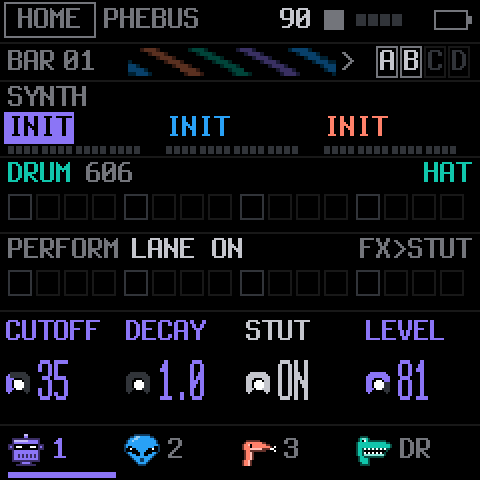
PHEBUS 1.0, a personal firmware. Not yet measured on a real FM-1: back up first. Newer FM-1s with the slower UC25HQ80 flash chip are handled.
Three steps, in this order
-
1
Try it in the browser
The simulator runs the actual PHEBUS firmware on a drawn FM-1. Play it with your computer keyboard or a MIDI controller, record a video of the screen with sound, and save your patterns to open later.
Open the simulator → -
2
Back up your FM-1
The backup page saves everything on the FM-1 to one file on your computer: projects, patterns, presets, kits and settings. Put it back later, or after trying another firmware.
Open the backup page → -
3
Install it
The web installer writes PHEBUS over USB from Chrome or Edge, with nothing to download. Updating keeps your projects and settings.
Open the installer →
Three things and nothing else
One idea per control: EDIT the sound, ENV the envelopes, LFO the modulation, FX the effects, SEQ the rhythm and the patterns. A voice's colour only ever marks that voice's things.
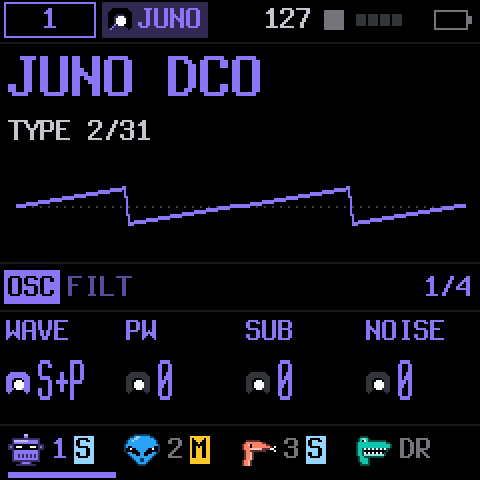
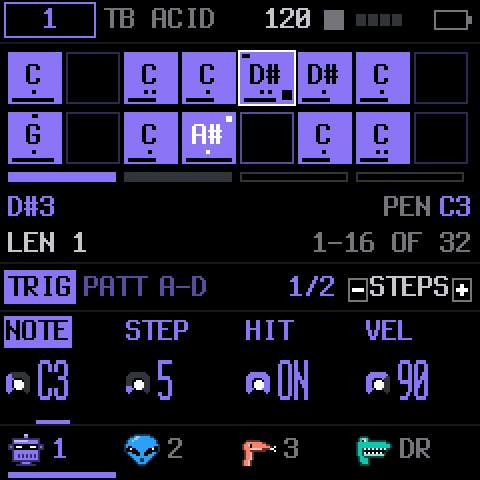
Three melodic voices, the MiniFreak's way
The same pages on every voice: an oscillator Type with three macros, one resonant filter with its own envelope or linked to the amp's, the amp envelope, three FX slots and a mod matrix.
- 31 oscillator Types on every voice: ACID, JUNO and the Plaits and Elements models
- Step entry on the keys, locks on any step, step record
- Spice and Dice for variations
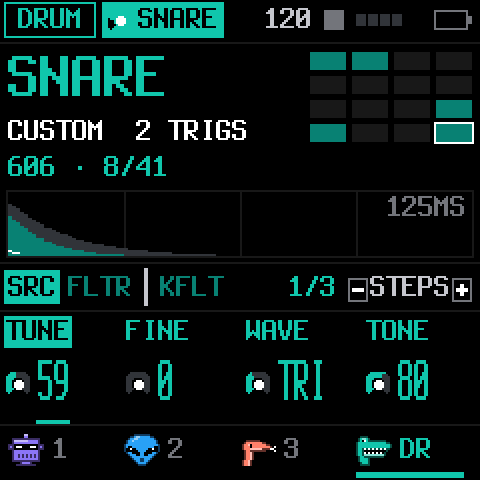
Sixteen sounds, the Rytm's way
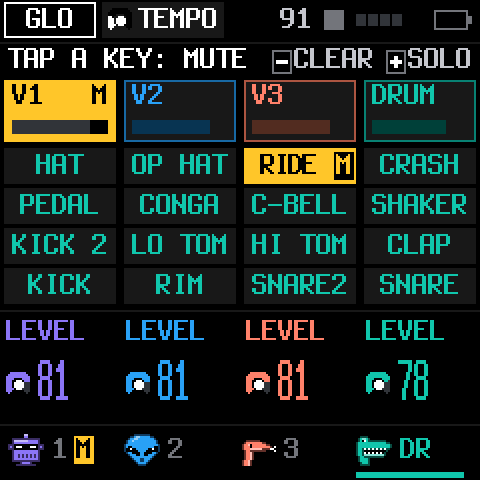
Pick a sound and the 16 keys are its steps; hold a step and turn a knob to lock it. Every sound has SRC, FLTR, AMP and LFO pages, and every kit can be edited: your copy is saved with the project.
- Velocity, conditions, chance, nudge and retrig on each hit
- MUTE, CHROMATIC and FILL
Effect pads, the MPC's way
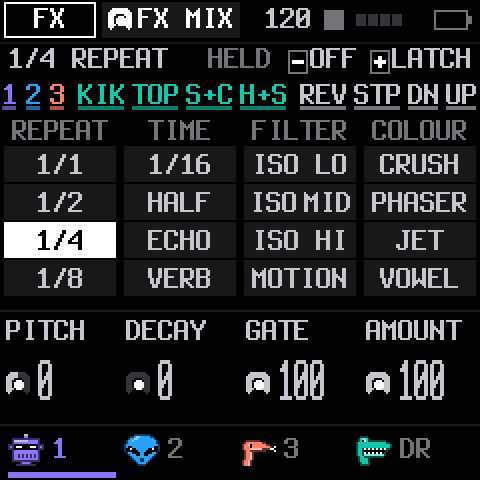
Hold FX and the keys are 27 effect pads on the whole mix: beat repeats from 1/1 to 1/16, half time, echo and reverb throws, an isolator (lows, mids, highs), a motion filter, crush, phaser, jet, vowel, reverse, tape stop, two sweeps, and mutes for each voice and the drums, with latch.
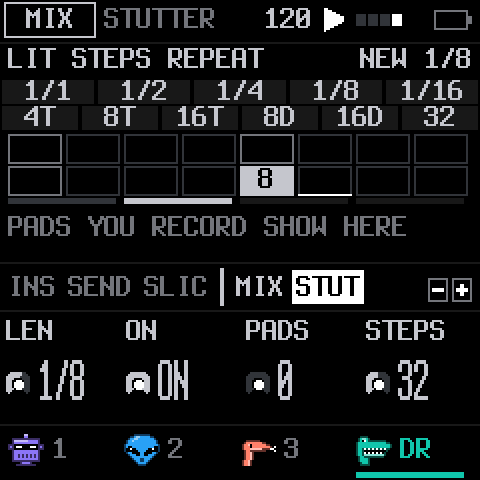
- Played while recording, they land in the STUTTER lane
- The lane is a fifth part of the sequencer and plays its own stutters
Patterns A to D
Four patterns a project, saved as you go.
MIDI and USB audio
A class-compliant audio interface over USB, the whole mix or six stems, and MIDI in and out: it sits next to an MPC Sample, which does the sampling and arranging.
Backup in one file
Everything on the FM-1 in one file, to keep or to put back. Backups from older firmware load too.
Before you install
What do I need to install it?
Chrome or Edge on a computer (the installer talks to the FM-1 over Web MIDI) and a USB cable that carries data: many cables that come with chargers only carry power, and the FM-1 will not show up with one of those.
On Android: Chrome and a USB-C data cable work too. On iPhone or iPad: no browser can install firmware there; use a computer.
Can I go back to the official firmware?
Yes, with M‑VAVE's own updater, M-UPGRADE: the installer page lists the steps under Return to the official firmware. Save a backup first: the official firmware cannot open PHEBUS's projects.
I run FM1 Open or another custom firmware. What should I do?
FM1 Open (M‑VAVE's own open firmware; the FM-1 shows up as "FM1 Community"): PHEBUS cannot be installed over it directly. Put the official V15 back first with M‑VAVE's FM1 Workbench in Chrome: Update firmware → Restore original V15, then install PHEBUS. The installer recognises FM1 Open and shows these steps.
Another custom firmware: back it up, return to the official firmware, then install PHEBUS from there.
Does it cost anything?
No. PHEBUS is free. It is licensed GPL-3.0-only, the source is public, and it is never for sale.
Built on other people's open work
PHEBUS stands on free software by many people; each part keeps its own licence. Read the credits.
FREE. NEVER FOR SALE.
PHEBUS is free software under the GNU General Public License, version 3 only. You may use, study, change and share it. If you pass on PHEBUS or firmware made from it, pass on its complete source under the same licence: github.com/bashidrum/phebus.
PHEBUS is not affiliated with or endorsed by M‑VAVE, Arturia, Elektron, Akai, Mutable Instruments, Erica Synths or Hügelton Instruments. M‑VAVE and FM-1 are trademarks of their owners; MiniFreak, Analog Rytm and MPC are named only to say how PHEBUS plays. The pixel font on this page's labels is DotGothic16 (SIL OFL 1.1).